Secure Sharing
Should You Send This by Email, Chat, a Secure Note, or a Password Manager?
May 4, 2026 · 5 min read

Most password mistakes do not happen when the secret is created. They happen when it is sent. A strong password copied into email, a team chat, or a support ticket can leave traces in inboxes, search indexes, notification previews, backups, and screenshots.
That is why the useful question is not just “Is this a strong password?” but “What is the right channel for sending it?” The answer depends on whether the secret is temporary or long-term, whether the recipient already uses a password manager, and how much residue you are willing to leave behind.
The short version
- Use a password manager whenever both sides can store the secret properly.
- Use a one-time secure note for temporary delivery when you do not want the secret sitting in chat or email history.
- Use email or chat only for low-risk coordination, not for the secret itself.
- Split delivery across two channels for higher-risk handoffs.
- Never paste long-term credentials into tickets, shared documents, or permanent team threads unless there is no better option.
Start with the simplest decision tree
If the secret is meant to live for a long time, a password manager is usually the best destination. If the secret only needs to be delivered once and then stored elsewhere, a secure one-time note is usually the cleanest transport layer.
If you mainly need to tell someone where to look, when to log in, or which account to expect, email and chat are fine for that coordination. They are just a poor place for the actual secret.
When a password manager is the right answer
If both people already use a password manager, this is usually the best option. The credential ends up in the place where it should live, with less copying and less chance that it will remain in random message history.
This is the right choice for long-lived logins, shared team credentials, admin accounts, or anything that will need to be updated over time.
When a secure note is the right answer
A secure note is ideal when the goal is delivery, not storage. Think of a temporary onboarding password, a recovery code, a setup secret, a Wi-Fi password for a guest, or a credential that will be imported into a password manager immediately after receipt.
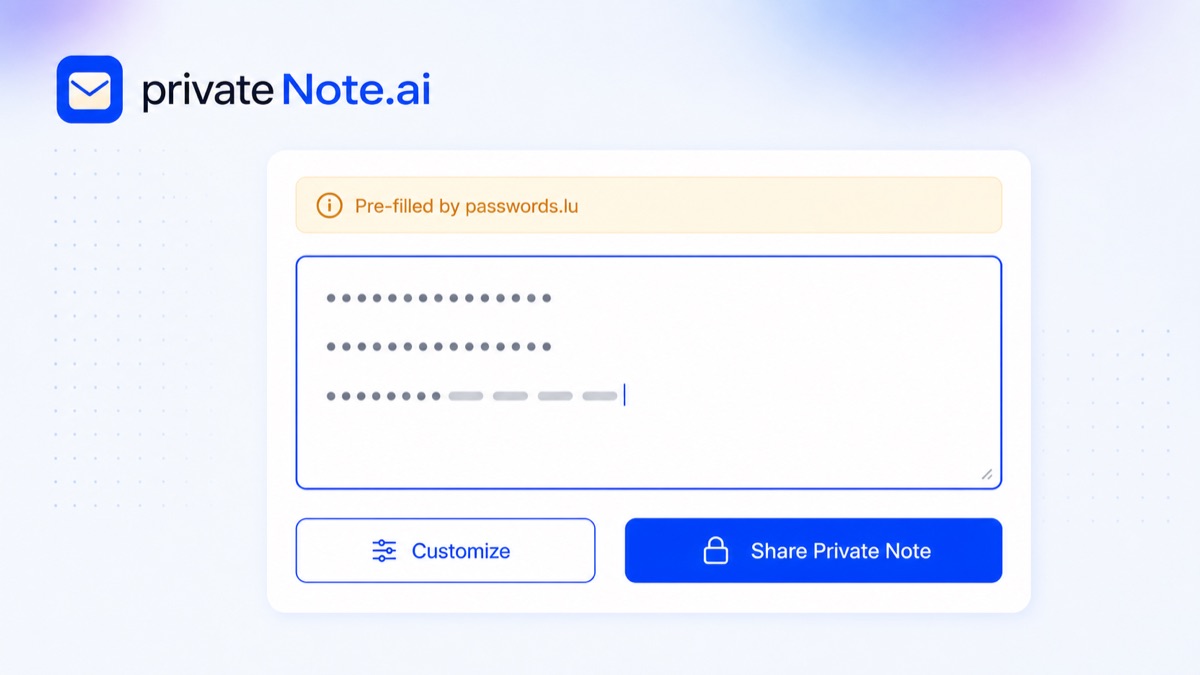
This is where PrivateNote.ai fits best. It gives you a simple one-time encrypted note flow for sending a secret, letting the recipient open it once and move it into proper storage instead of leaving the credential behind in chat history or an email archive.
When email is acceptable and when it is not
Email is acceptable for non-secret coordination: “I created the account,” “the note is on the way,” or “please expect a password reset link.” It is usually the wrong place for the secret itself because mailbox retention, forwarding, indexing, and notification previews create long-lived copies.
If you do use email in a higher-risk workflow, use it for one half only: for example, send the secure-note link by email and the extra password or confirmation through another channel.
When chat is acceptable and when it is not
Chat is fast, but that convenience is exactly why people overuse it for secrets. Slack, Discord, Teams, and similar chat systems are searchable, synced across devices, screenshot-friendly, and often retained far longer than people expect.
Use chat for urgency and coordination, not as the main storage layer for secrets. A good pattern is to send “I just sent you the note” in chat, while the actual secret travels by secure note or password-manager share.
Why tickets, docs, and spreadsheets are the worst default
Support systems, CRMs, shared docs, and spreadsheets tend to be copied, exported, indexed, and retained broadly. They also often have more viewers than the sender realizes.
If a secret has to appear there at all, it should be there as briefly as possible, and ideally not in cleartext. In most cases, a note link or a password-manager share is the cleaner alternative.
A strong pattern: two-channel delivery
For higher-risk credentials, split the handoff. Send the secure-note link in one channel and the unlock phrase, confirmation step, or second factor in another. For example, send the link by email and the extra password by phone or chat.
This does not make compromise impossible, but it does stop a single leaked inbox or copied chat thread from being enough on its own.
Disclosure: we built PrivateNote.ai
We are the developers of PrivateNote.ai, and we are disclosing that plainly because this article recommends it for one specific job: short-lived secret delivery. We also built passwords.lu, so the integration exists because we wanted a practical way to generate a strong secret and hand it off with less residue than email or chat.
That said, the decision framework is broader than our own product. If both sides already use a good password manager, use that. If you only need coordination, use ordinary messaging. The point is to match the channel to the risk.
A practical rule you can remember
Store long-term secrets in a password manager. Deliver temporary secrets through a secure note. Use email and chat for context, not for the secret itself.
If you follow just that rule, you will avoid a large share of everyday credential-handling mistakes.
Why the PrivateNote.ai flow is safer than plain messaging
- passwords.lu passes the generated secret only through the URL fragment (#text=...), which browsers do not send to servers.
- PrivateNote.ai encrypts the note in the browser before upload.
- The note is meant for one-time reading, then destruction, instead of sitting permanently in a chat or mailbox.
Try the workflow
Generate a strong password or passphrase on passwords.lu, then send it through PrivateNote.ai when you need temporary delivery with less residue than chat or email.